


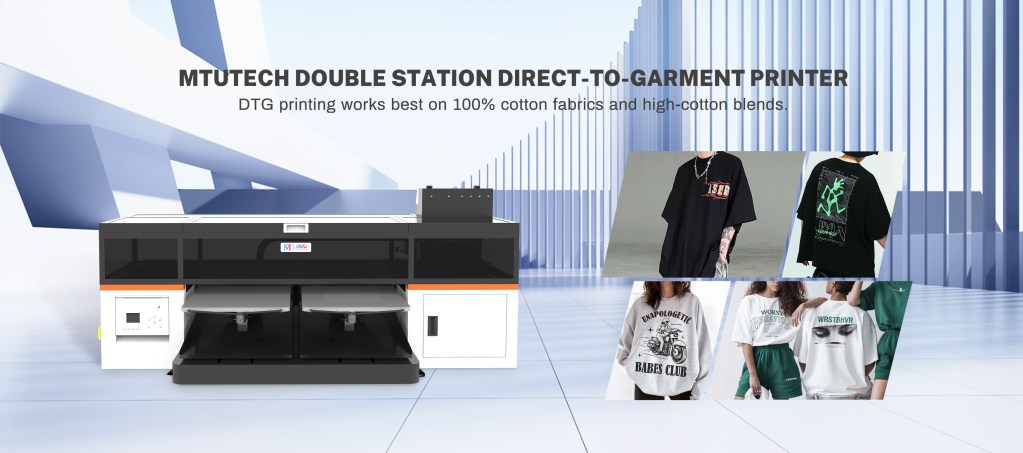
Introduction
Direct-to-Garment (DTG) printing has transformed the custom apparel industry, allowing designers and businesses to create vibrant, detailed prints on textiles. However, achieving the best results with a DTG printer requires not just the printer itself but also the right software to manage the printing process. This software is known as RIP (Raster Image Processor) software. In this blog, we will delve into what DTG printer RIP software is, its importance, features, and benefits, and how it ensures high-quality outputs.
What is DTG Printer RIP Software?
RIP software is designed to translate digital images into a format that the printer can understand. In essence, it acts as a bridge between your computer and the DTG printer, converting vector graphics and images into raster formats suitable for printing. This process is crucial as it optimizes the image for high-quality output, takes into account the type of fabric, and manages color density among other parameters.
Why is RIP Software Important?
RIP software is critical in the DTG printing process for several reasons:
- Color Management: The software helps in precise color matching and adjusting to ensure that the final print closely resembles the digital design.
- Image Scaling: It allows for resizing images without losing quality, which is vital for garments of different sizes.
- File Management: RIP software can handle multiple file formats and manage various print jobs simultaneously, increasing productivity.
- Ink Control: It regulates ink consumption, helping to reduce waste and cost, as well as ensuring even ink distribution.
- Pre-Press Preparation: The software provides tools for pre-press processes, which help in preparing the design for print, ensuring optimal results.
Key Features of DTG Printer RIP Software
When choosing RIP software for DTG printing, it’s essential to consider the following features:
1. Color Accuracy
Good RIP software offers advanced color management tools that ensure accurate color reproduction. This includes support for color profiles and calibration settings specific to different fabrics.
2. Print Resolution
The ability to print at varying resolutions is essential. High-quality RIP software allows for detailed image outputs, ensuring clarity and precision in prints, especially for intricate designs.
3. Customizable Print Settings
RIP software should enable users to customize print settings, such as ink limits, media types, and resolution settings, which can greatly affect the final product.
4. User-Friendly Interface
An intuitive interface makes it easier for users at all experience levels to navigate the software. Look for software that offers clear, accessible options and settings.
5. Advanced Layout Tools
RIP software should provide layout functionalities, such as the ability to position multiple designs on a single print area, which maximizes ink usage and reduces costs.
6. Job Management Capabilities
To streamline workflow, RIP software should have job management features, allowing for tracking of multiple print jobs and managing priorities effectively.
Benefits of Using RIP Software for DTG Printing
Investing in quality RIP software provides several advantages, including:
- Improved Print Quality: It enhances the quality of prints by offering better color management and image processing algorithms.
- Increased Efficiency: Automating various processes, such as file management and color adjustments, can speed up production times.
- Cost-Effectiveness: By optimizing ink usage and reducing waste, businesses can save on material costs.
- Versatility: Supports a wide range of fabrics and print techniques, making it suitable for various applications.
- Consistency: Ensures that print results are stable and uniform over time, essential for brand integrity.
Choosing the Right RIP Software
When selecting RIP software for your DTG printing needs, consider the following:
- Compatibility: Ensure the software is compatible with your specific DTG printer model.
- Support and Updates: Look for software that offers continuous support and regular updates to improve functionality and adapt to new printing technologies.
- User Reviews: Read reviews from other users to gauge reliability and performance.
- Cost: Consider your budget but remember that quality software can lead to long-term savings by reducing waste and enhancing efficiencies.
Conclusion
RIP software is an indispensable component of the DTG printing process, ensuring that designs are accurately translated from digital files to high-quality prints on garments. Understanding its features and benefits can help businesses achieve better results, save on costs, and improve overall efficiency. As you explore the various options in the market, consider your business needs, printer compatibility, and the specific features that will help you produce exceptional printed garments. For those looking to start or upgrade their printing capabilities, it’s worth investing time to understand and choose the right RIP software.
To explore our high-quality DTG printers and their capabilities, be sure to check out our high-quality DTG printers here.
FAQ
What does RIP stand for in the context of printing?
RIP stands for Raster Image Processor. It is software that converts digital images into a format that a printer can understand, ensuring proper representation of the design on the printed material.
Is RIP software necessary for all DTG printers?
While not all DTG printers require RIP software, it is highly recommended for achieving the best quality prints and managing color accuracy, especially for complex designs.
Can I use any RIP software with my DTG printer?
No, you should use RIP software that is specifically compatible with your DTG printer model to ensure optimal performance and functionality.
How often should I update my RIP software?
It’s advisable to update your RIP software regularly, as updates often include bug fixes, new features, and enhancements to improve performance and adapt to new printing technologies.
What should I do if I experience issues with my RIP software?
If you encounter issues with your RIP software, consult the software’s support documentation or contact customer support for assistance. It’s also helpful to check online forums for solutions from other users who may have had similar experiences.
How This DTG Printer Topic Helps Buyers Choose the Right Printer
This guide is most useful for buyers researching dtg printer and comparing real production choices before speaking with a supplier. The practical decision is not only the machine name. Buyers also need to understand material compatibility, workflow, operator skill, ink behavior, finishing steps, maintenance, and the type of jobs the printer can produce profitably.
What to Check Before Buying
- Confirm the target products, materials, and daily production volume.
- Ask for sample prints that match real customer work, not only perfect demo pieces.
- Compare ink, media, labor, maintenance, training, and waste before calculating ROI.
- Check service support, spare parts, installation training, and operator documentation.
- Review whether the printer fits your workspace, power, ventilation, and finishing workflow.
Best-Fit Applications
This topic is relevant for custom printing, short-run production, branded product decoration, and businesses that need repeatable output. The best-fit applications usually depend on substrate, artwork detail, color expectations, durability requirements, and order size. A buyer should list the top five products they want to sell, then test those products before scaling production.
| Decision area | Why it matters | What to verify |
|---|---|---|
| Application fit | Prevents buying a machine for the wrong product mix | Test real customer products and materials |
| Workflow | Controls speed, labor, and repeatability | Map artwork, printing, finishing, inspection, and packing |
| Running cost | Protects profit margin | Include ink, media, waste, labor, parts, and downtime |
| Support | Reduces risk after installation | Ask about training, parts, and troubleshooting response |
Buyer FAQ
What keyword should this article help rank for?
The primary keyword target is dtg printer. Supporting terms should include application phrases, troubleshooting phrases, pricing phrases, and comparison phrases related to dtg printer.
Which MTuTech product page should readers visit next?
The strongest next step is the DTG Printer page because it connects the educational topic to a commercial product category.
How can a print shop use this information?
A print shop can use this guide to build a shortlist of applications, estimate job pricing, prepare sample tests, and ask better questions before buying equipment. That makes the article useful for search visitors and for sales conversations.
Recommended MTuTech Resources
Use these related pages to compare equipment choices and continue researching the right production setup.
- DTG Printer – compare machine options, applications, and production fit.
- DTF Printer – compare machine options, applications, and production fit.
- Direct to fabric printer – compare machine options, applications, and production fit.
- Dye sublimation printer – compare machine options, applications, and production fit.
- DTG Printer articles – read more guides in this topic cluster.
- MTuTech Blog – browse more UV, DTF, textile, and production workflow resources.
Understanding DTG Printer RIP Software and Why It’s Important: Practical Buying Notes
For buyers comparing a dtg printer, the important question is not only whether the machine can print. The stronger question is whether the full workflow can repeat the same result every day with acceptable cost, operator time, and service support. This is where print samples, material testing, and a clear production plan become more useful than a simple feature list.
Use this topic as part of the MTuTech knowledge cluster for dtg printer. It should help a shop owner, production manager, or sourcing team understand where the printer fits, which questions to ask, and which product page to review next.
What to Verify Before Shortlisting a Machine
- Match the printer to the exact products, substrates, and order sizes you plan to sell.
- Request sample prints using real artwork, real materials, and realistic finishing requirements.
- Estimate ink, media, labor, rejected pieces, maintenance, and downtime before judging ROI.
- Check training, spare parts, installation support, software workflow, and after-sales response.
- Review workspace needs such as power, ventilation, curing, pretreatment, and packing flow.
Best Internal Resources
These MTuTech pages are the best next step for readers who want to move from research to machine comparison:
- DTG Printer – compare specifications, applications, and production fit.
- Direct to fabric printer – compare specifications, applications, and production fit.
- DTF Printer – compare specifications, applications, and production fit.
- MTuTech Blog – browse related UV, DTF, DTG, textile, and production workflow guides.
Quick Decision Table
| Area | Why it matters | Buyer check |
|---|---|---|
| Application fit | Confirms the printer matches the jobs you want to sell | Test the most common products first |
| Production cost | Protects margin on repeat orders | Include ink, media, labor, waste, and maintenance |
| Output quality | Reduces complaints and reprints | Review adhesion, detail, color, wash/durability, and finish |
| Support | Keeps the machine productive after installation | Ask about training, parts, response time, and troubleshooting |
FAQ
Which keyword does this guide support?
This post supports searches around dtg printer together with application, cost, comparison, and troubleshooting queries related to dtg printer.
Which page should readers visit after this article?
The strongest next step is the most relevant MTuTech product page listed above. That gives readers a direct path from education to machine comparison.