


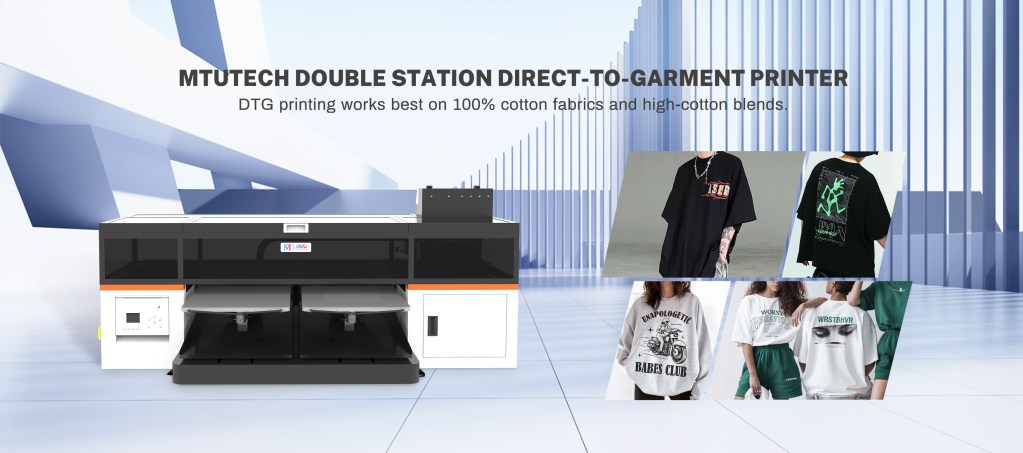
Introduction
Direct-to-Garment (DTG) printing has rapidly transformed the world of apparel printing by allowing for vibrant, high-quality designs directly onto fabric. However, the process does not only rely on the DTG printer itself; the heat press plays an equally crucial role in achieving the perfect finish. In this blog post, we will delve into the role of a heat press in DTG printing, explore its benefits, and provide a step-by-step guide on how to use it right.
Understanding DTG Printing
DTG printing involves using inkjet technology to print directly onto textiles. Unlike traditional screen printing, which requires multiple setups for each color, DTG allows for complex designs and gradients with ease. While a DTG printer handles the intricate work of applying ink to garments, a heat press ensures that the inks set correctly, enhancing durability and vibrancy.
The Role of Heat Press in DTG Printing
After the DTG printing process is complete, the next step is curing the ink. This is where the heat press comes into play. A heat press applies heat and pressure to the printed garment, helping the ink to bond with the fabric fibers. Here’s why this step is vital:
1. Curing the Ink
Heat pressing activates the adhesive qualities in the DTG inks, ensuring they properly adhere to the fabric. This process contributes significantly to the longevity of the print, preventing issues such as cracking or fading over time.
2. Enhancing Fabric Softness
Unlike other printing methods that may leave a stiff feel on the fabric, DTG ink that has been heat pressed feels soft to the touch. This quality is particularly desirable for consumers looking for comfort and high-quality apparel.
3. Providing a Professional Finish
Heat pressing eliminates unwanted wrinkles, ensuring that your finished products look polished and high-end. The professional finish that heat press provides can significantly enhance your brand’s reputation.
Benefits of Using a Heat Press in DTG Printing
Here are some key benefits of integrating a heat press into your DTG printing workflow:
- Improved Durability: Proper curing ensures that the ink withstands multiple washes without fading.
- Better Color Accuracy: Applying heat helps bring out the vibrancy of colors, making designs more striking on the final product.
- Versatility: Heat presses can be used with a wide array of materials, expanding your product offerings beyond basic cotton fabrics.
- Affordability: Compared to traditional screen printing, DTG with heat pressing offers lower setup costs and less waste, making it ideal for small batches and custom orders.
Choosing the Right Heat Press
When selecting a heat press for DTG printing, consider the following factors:
1. Heat Press Type
There are various types of heat presses available, such as clamshell, swing-away, and draw-style presses. Each has its own benefits depending on your production needs:
- Clamshell: Space-efficient and easy to use, best for small to medium operations.
- Swing-away: Ideal for larger prints and allows for better access to the printing surface.
- Draw-style: Minimizes the risk of burning hands and ensures a comfortable working position.
2. Temperature Control
Precise temperature control is essential in DTG printing. Look for a heat press that can reach and maintain accurate heat levels suitable for various fabric types.
3. Pressure Adjustment
The ability to adjust the pressure applied by the heat press is crucial for different materials. Make sure the model you choose allows for easy adjustment to cater to your needs.
How to Use a Heat Press for DTG Printing
Now that we understand the importance of the heat press, let’s break down the steps for using it effectively in conjunction with your DTG printer:
Step 1: Prepare Your Design
Ensure your design has been correctly printed onto the garment using the DTG printer. Double-check for color accuracy and quality before moving forward.
Step 2: Preheat Your Heat Press
Set your heat press to the recommended temperature for the fabric type you are working with, typically ranging from 350°F to 400°F (175°C to 205°C). Preheating is crucial as it will ensure the heat is evenly distributed when you press the garment.
Step 3: Prepare the Garment
Place the printed garment onto the heat press, ensuring it is positioned correctly without any wrinkles or creases. Pre-press the garment for a few seconds to remove any moisture and set the stage for a better bond.
Step 4: Press the Garment
Carefully lower the heat press onto the garment. Ensure that you apply the recommended pressure as indicated in the printer’s guidelines. Hold it for the suggested duration (usually 30-60 seconds) while ensuring there is no movement.
Step 5: Remove the Transfer Sheet
After the pressing time is up, carefully lift the heat press and peel away the transfer sheet (if applicable) while the garment is still warm for optimal results. Allow the fabric to cool down gradually.
Step 6: Quality Check
Inspect your finished garment for any issues. Ensure the ink has cured properly and the design meets your quality expectations.
Conclusion
In the world of DTG printing, the heat press plays an indispensable role in ensuring high-quality, durable prints. By understanding how to use a heat press correctly, you’ll be able to elevate your printing process and produce stunning apparel that meets the needs of your customers. The integration of effective techniques and the right equipment transforms your DTG printing endeavors into a flourishing business. If you’re ready to enrich your printing capabilities, explore our high-quality DTG printers here and take your creations to the next level!
FAQ
What temperature should I set my heat press for DTG printing?
The recommended temperature for heat pressing DTG printed garments typically ranges between 350°F to 400°F (175°C to 205°C), depending on the fabric type.
How long should I press my garment?
Usually, you should press the garment for 30-60 seconds. However, always refer to the ink manufacturer’s guidelines for specific recommendations.
Can I use a heat press for materials other than cotton?
Yes! Heat presses can be used on a variety of materials, including blends and synthetic fabrics. Just ensure you adjust the temperature and pressure accordingly.
How can I prevent burning my garments with the heat press?
Always set the correct temperature and pressure for the specific fabric. Additionally, pre-pressing your garment can help eliminate moisture and reduce the risk of burns.
Is a heat press necessary for DTG printing?
While you can print without a heat press, using one is essential for curing the ink effectively. It significantly enhances the durability and quality of the final product.
How This DTG Printer Topic Helps Buyers Choose the Right Printer
This guide is most useful for buyers researching dtg printer and comparing real production choices before speaking with a supplier. The practical decision is not only the machine name. Buyers also need to understand material compatibility, workflow, operator skill, ink behavior, finishing steps, maintenance, and the type of jobs the printer can produce profitably.
For MTuTech.store, this article supports the wider DTG Printer topic cluster by answering a specific search question and then guiding readers toward the relevant product page. That structure helps users move from education to comparison without forcing them to search the site again.
What to Check Before Buying
- Confirm the target products, materials, and daily production volume.
- Ask for sample prints that match real customer work, not only perfect demo pieces.
- Compare ink, media, labor, maintenance, training, and waste before calculating ROI.
- Check service support, spare parts, installation training, and operator documentation.
- Review whether the printer fits your workspace, power, ventilation, and finishing workflow.
Best-Fit Applications
This topic is relevant for custom printing, short-run production, branded product decoration, and businesses that need repeatable output. The best-fit applications usually depend on substrate, artwork detail, color expectations, durability requirements, and order size. A buyer should list the top five products they want to sell, then test those products before scaling production.
| Decision area | Why it matters | What to verify |
|---|---|---|
| Application fit | Prevents buying a machine for the wrong product mix | Test real customer products and materials |
| Workflow | Controls speed, labor, and repeatability | Map artwork, printing, finishing, inspection, and packing |
| Running cost | Protects profit margin | Include ink, media, waste, labor, parts, and downtime |
| Support | Reduces risk after installation | Ask about training, parts, and troubleshooting response |
Buyer FAQ
What keyword should this article help rank for?
The primary keyword target is dtg printer. Supporting terms should include application phrases, troubleshooting phrases, pricing phrases, and comparison phrases related to dtg printer.
Which MTuTech product page should readers visit next?
The strongest next step is the DTG Printer page because it connects the educational topic to a commercial product category.
How can a print shop use this information?
A print shop can use this guide to build a shortlist of applications, estimate job pricing, prepare sample tests, and ask better questions before buying equipment. That makes the article useful for search visitors and for sales conversations.
Recommended MTuTech Resources
Use these related pages to compare equipment choices and continue researching the right production setup.
- DTG Printer – compare machine options, applications, and production fit.
- DTF Printer – compare machine options, applications, and production fit.
- Direct to fabric printer – compare machine options, applications, and production fit.
- Dye sublimation printer – compare machine options, applications, and production fit.
- DTG Printer articles – read more guides in this topic cluster.
- MTuTech Blog – browse more UV, DTF, textile, and production workflow resources.